Concepts
Insight sits beside your application while you build and test. It does not replace the Neat Library or your application runtime. Instead, it gives you a browser view into the artifacts and signals that are normally scattered across the SDK container, the DevKit, log files, media files, and streaming ports.
In the Neat Development Environment, Insight also acts as a test media service. It can turn uploaded media into streaming sources and render application output through a WebRTC Video Viewer. When an application runs outside the SDK container, such as on a DevKit, use the SDK port map from neat --json to find the host ports that external clients should use.
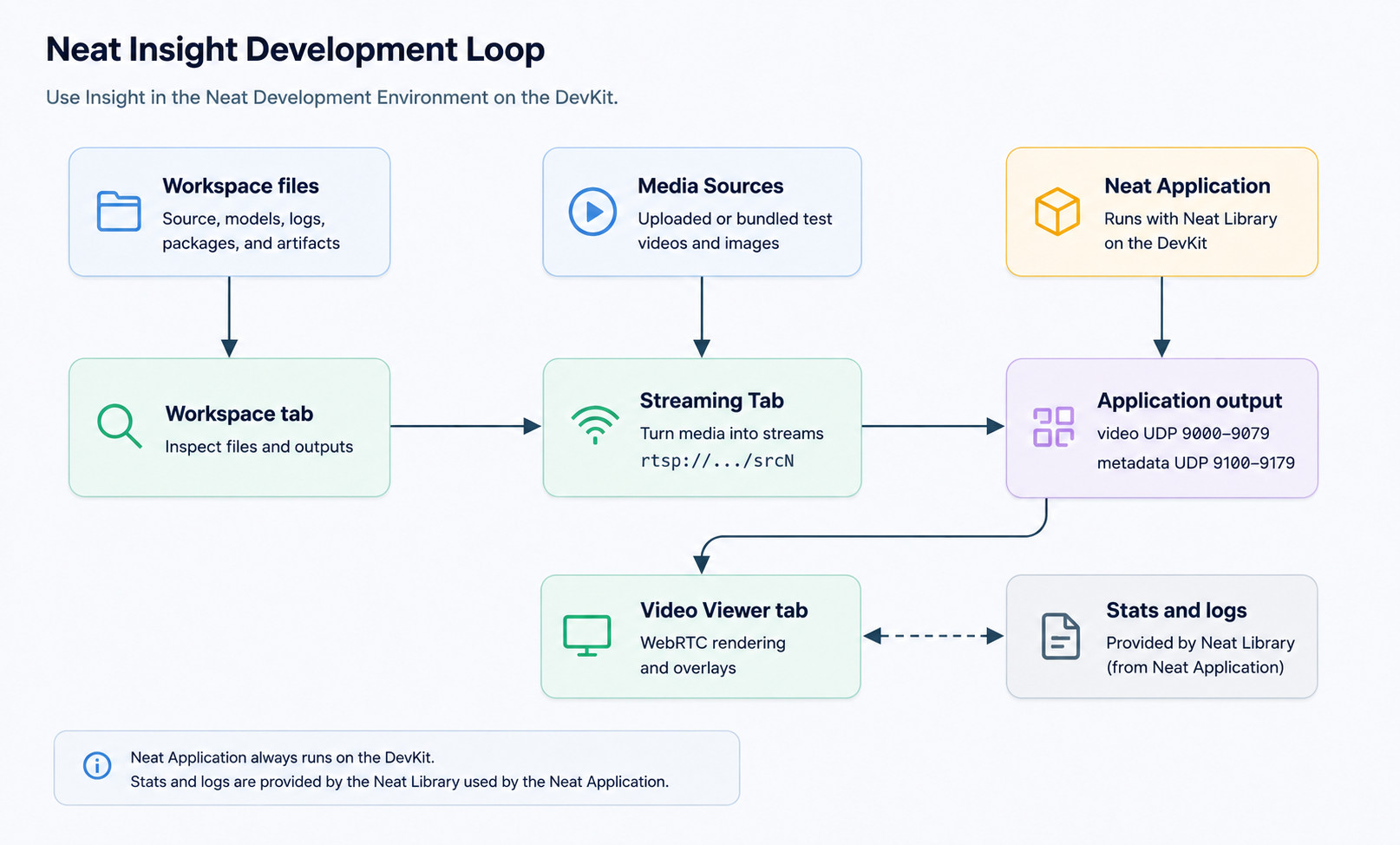
The typical loop is:
- Inspect the workspace and application artifacts.
- Upload or select media files for testing.
- Turn media files into streaming sources such as
rtsp://127.0.0.1:8554/src1or HTTP MJPEG endpoints for MJPEG camera simulation. - Run your application against those sources.
- Send application video and metadata output to the matching Insight viewer channel.
- Watch the application output in the Video Viewer.
- Use system information and logs to diagnose performance or runtime issues. The Stats view is present as a placeholder in this release and is planned to be completed in the next release.
What Insight is for
Insight is designed for vision ML application development and validation. It helps you see whether media, runtime output, metadata, and system behavior line up during a test run.
Use Insight to:
- Prepare repeatable video inputs.
- Confirm that application output reaches the expected viewer channel.
- Render metadata overlays for common vision outputs.
- Inspect generated model, package, source, and profiling artifacts.
- Compare application symptoms with device or SDK runtime state. The Stats view is the planned location for this workflow, but it is a placeholder in the current release.
What Insight is not
Insight does not replace your IDE. Keep using your normal editor, terminal, source-control workflow, and build tools. Insight complements that workflow by giving you a browser-based view of workspace artifacts, test media, stream routing, video output, metadata overlays, and runtime diagnostics.